Understanding Sonatype Nexus Repository:
From Community Edition to Enterprise
A Guide to Choosing the Right Edition of Nexus Repository for Your Team
Executive Summary
Sonatype Nexus Repository gives development teams a single source of truth to store, manage, and access the dependencies your software builds rely on. Choosing the right edition for your team depends on how your organization works today: the teams and workflows you need to support, the level of production support you require, and the security controls you need to mitigate downstream rework.
Community Edition provides a foundation and can be a good starting point for some. Pro adds commercially supported repository operations for production workflows. Pro+ adds built-in malware protection and policy enforcement for teams that need to stop malicious packages before they reach developers and builds. Enterprise adds advanced capabilities for greater global scale and flexibility.
This guide explains the value of each edition, how their use cases differ, and how to build a business case for the level of capability your teams need.
Sonatype Nexus Repository for Software Delivery
Software teams depend on more than source code. They use libraries and packages from public ecosystems, internal components, container images, third-party binaries, and AI/ML models. Those inputs move through developer environments, build systems, testing, and release pipelines.
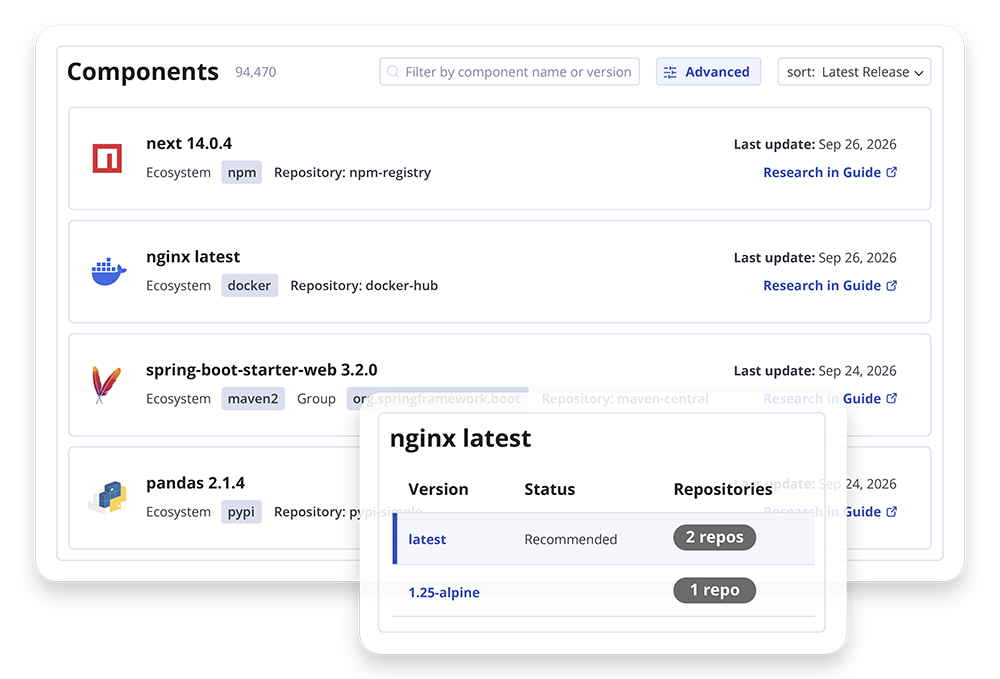
Sonatype Nexus Repository stores, organizes, proxies, and distributes supported components and build outputs from a central location. Teams use it to:
- Manage software inputs and build outputs in one place.
- Make commonly used artifacts available to developers and build workflows.
- Reduce repeated downloads from upstream services.
Repository needs can change as an organization grows. Teams may need a straightforward way to manage artifacts at a limited scale, commercial support and operational capabilities for production workflows, or protection against malicious packages before they enter development.
The four editions address these different requirements.
Four Editions for Different Repository Needs
Use this comparison as a starting point. Check the final feature matrix and licensing documentation for exact capabilities, thresholds, and deployment options.
Edition |
Best Fit |
Primary Value |
Consider It When |
|---|---|---|---|
| Community Edition (CE) |
Individuals and small teams with limited repository usage
|
A foundation for storing, sharing, and managing supported components and build artifacts
|
You are getting started or your usage remains within Community Edition’s published limits
|
| Pro |
Teams moving beyond basic repository use
|
Commercial support and operational capabilities for production repository workflows
|
You need stronger operational capabilities or direct support
|
| Pro+ |
Teams that want supply chain security built into their repository workflow, with control over what enters development.
|
Built-in protection against malicious packages, with policies for security, legal, architectural, and age-related risk
|
You need to evaluate components before they reach developers, CI/CD pipelines, or agents
|
| Enterprise |
Global, regulated, distributed teams
|
Govern repository operations at global scale, with distributed content delivery
|
You need to coordinate approved releases across locations, standardize repository access, or manage repository operations at global scale
|
Best Fit
| Edition | |
|---|---|
| Community Edition (CE) |
Individuals and small teams with limited repository usage
|
| Pro |
Teams moving beyond basic repository use
|
| Pro+ |
Teams that want supply chain security built into their repository workflow, with control over what enters development.
|
| Enterprise |
Global, regulated, distributed teams
|
Primary Value
| Edition | |
|---|---|
| Community Edition (CE) |
A foundation for storing, sharing, and managing supported components and build artifacts
|
| Pro |
Commercial support and operational capabilities for production repository workflows
|
| Pro+ |
Built-in protection against malicious packages, with policies for security, legal, architectural, and age-related risk
|
| Enterprise |
Govern repository operations at global scale, with distributed content delivery
|
Consider It When
| Edition | |
|---|---|
| Community Edition (CE) |
You are getting started or your usage remains within Community Edition’s published limits
|
| Pro |
You need stronger operational capabilities or direct support
|
| Pro+ |
You need to evaluate components before they reach developers, CI/CD pipelines, or agents
|
| Enterprise |
You need to coordinate approved releases across locations, standardize repository access, or manage repository operations at global scale
|
Community Edition (CE)
A Foundation for Teams With Limited Repository Needs
Sonatype Nexus Repository Community Edition is intended for individuals, small teams, and organizations beginning to centralize component and artifact management. It gives teams a place to manage software inputs and build outputs without requiring a paid edition.
Community Edition can be a fit for teams evaluating repository management, supporting a contained project, or operating within its current usage limits. As usage grows, teams should review their component volume and request levels, and consider whether the repository’s role in production makes commercial support or additional operational capabilities important.
Choose Community Edition when its current limits and capabilities fit the work your teams need to do. Reassess as repository traffic increases, more teams depend on it, or delivery workflows require capabilities available in a paid edition.
Pro Edition
Commercial Support for Production Repository Operations
Sonatype Nexus Repository Pro is designed for teams that rely on their repository for ongoing development and delivery. When developers and build processes depend on repository access, teams may need commercial support and operational capabilities to keep the service aligned with production requirements.
Pro Edition is a fit to consider when an organization has outgrown Community Edition’s usage limits, needs direct support from Sonatype, or treats its repository as a critical part of its delivery toolchain. Depending on the final plan matrix, Pro may also support requirements such as high availability, failover, authentication, replication, staging, and repository maintenance.
Evaluate Pro Edition against the repository’s operating requirements. Consider how much downtime the organization can tolerate, how teams authenticate, how artifacts need to move across locations, and what support is available when a problem affects development or builds.
Pro+ Edition
Built-In Protection Against Malicious Packages
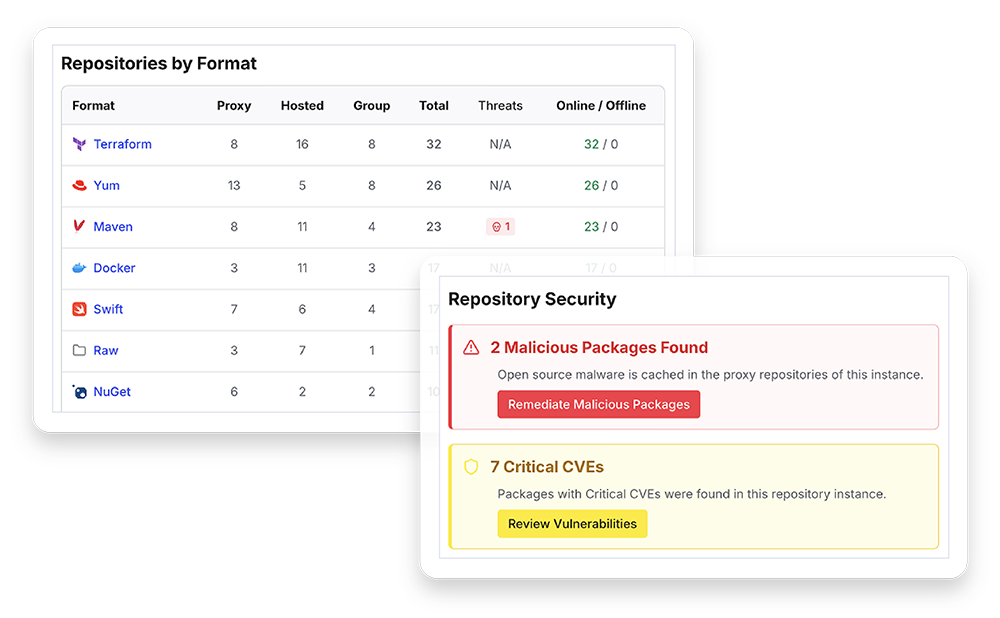
Sonatype Nexus Repository Pro+ is positioned for teams that want supply chain security built into their repository workflow. It helps control what enters development with protection against malicious packages and policies for security, legal, architectural, and age-related risks.
This edition can be a fit when teams are looking to block risky components before they reach developers, CI/CD pipelines, or agents. Applying those controls at the repository can reduce the remediation work, technical debt, and delivery delays that come from addressing risky components later in development.
When evaluating Pro+ Edition, confirm which package formats are covered, what types of threats it detects, and how blocking works. Teams should also understand how threat intelligence is updated, what administrative controls are available, and whether the protection works in their deployment environment.
Enterprise Edition
Advanced Performance and Scale
Sonatype Nexus Repository Enterprise is designed for organizations that manage software delivery across teams and regions. It builds on Pro+ with CDN, federation, bundled releases, enterprise reporting, and editioned storage to help teams coordinate approved releases and manage repository operations at global scale.
Enterprise Edition may be a fit when more teams, pipelines, and locations depend on repository access. Federation and bundled releases help coordinate how teams access and distribute approved components, while CDN and editioned storage support delivery as usage grows.
When evaluating Enterprise Edition, consider how teams share and distribute approved releases, where developers and build systems need access, and how repository traffic and storage needs may change as usage grows. Confirm how federation, bundled releases, reporting, editioned storage, and CDN fit your delivery workflows and deployment environment.
How to Choose the Right Edition
Start with the repository’s role in your software delivery process, then identify the capability your organization needs most.
- Is the repository for limited-scale use?
Community Edition may be a fit for individual users and small teams whose usage remains within its published limits. - Does the repository support production workflows?
Consider Pro Edition if developers and builds depend on the repository and you need commercial support or additional operational capabilities. - Do you need to block malicious packages before they reach development?
Consider Pro+ Edition if repository-level malware protection is a requirement. Confirm that the protection covers the package formats and deployment environments your teams use. - Do you need enhanced performance, scale, and security?
Consider Enterprise Edition if using a CDN is a requirement for your organization. - How are your needs likely to change?
Consider expected growth in requests, teams, formats, and build activity. Also account for new deployment environments and increased use of AI/ML artifacts. - Which capabilities must work together?
Compare the required support, availability, authentication, replication, and malware protection capabilities with the current plan matrix. Confirm any feature dependencies before selecting an edition.
A good fit should meet current requirements while giving teams a practical way to adapt as repository use grows. Compare Sonatype Nexus Repository editions using the capabilities your delivery workflows actually depend on, along with the cost of operating and supporting the repository.
Capability |
Community |
Pro |
Pro+ |
Enterprise |
|---|---|---|---|---|
| Support for 24 repository formats |
|
|
|
|
| Option for external PostgreSQL |
|
|
|
|
| CI/CD integrations |
|
|
|
|
| REST APIs |
|
|
|
|
| Routing rules |
|
|
|
|
| AWS S3 Blob Stores |
|
|
|
|
| Custom Access Controls |
|
|
|
|
| LDAP |
|
|
|
|
| Content replication |
|
|
|
|
| Guaranteed resiliency and High Availability (HA) |
|
|
|
|
| Single Sign-On (SSO) |
|
|
|
|
| Component tagging |
|
|
|
|
| Staging and build promotion |
|
|
|
|
| Azure and Google blob stores |
|
|
|
|
| Audit and user token support |
|
|
|
|
| Malicious package blocking for 15+ support formats |
|
|
|
|
| Suspicious blocking and quarantining |
|
|
|
|
| Configurable policy |
|
|
|
|
| Container protection |
|
|
|
|
| CDN |
|
|
|
|
| Bundled releases |
|
|
|
Q1 2027
|
| Federation |
|
|
|
Coming Soon
|
| Enterprise reporting |
|
|
|
Coming Soon
|
| Tiered storage |
|
|
|
Coming Soon
|
Community
Edition
| Capability | |
|---|---|
| Support for 24 repository formats |
|
| Option for external PostgreSQL |
|
| CI/CD integrations |
|
| REST APIs |
|
| Routing rules |
|
| AWS S3 Blob Stores |
|
| Custom Access Controls |
|
| LDAP |
|
| Content replication |
|
| Guaranteed resiliency and High Availability (HA) |
|
| Single Sign-On (SSO) |
|
| Component tagging |
|
| Staging and build promotion |
|
| Azure and Google blob stores |
|
| Audit and user token support |
|
| Malicious package blocking for 15+ support formats |
|
| Suspicious blocking and quarantining |
|
| Configurable policy |
|
| Container protection |
|
| CDN |
|
| Bundled releases |
|
| Federation |
|
| Enterprise reporting |
|
| Tiered storage |
|
Pro
| Capability | |
|---|---|
| Support for 24 repository formats |
|
| Option for external PostgreSQL |
|
| CI/CD integrations |
|
| REST APIs |
|
| Routing rules |
|
| AWS S3 Blob Stores |
|
| Custom Access Controls |
|
| LDAP |
|
| Content replication |
|
| Guaranteed resiliency and High Availability (HA) |
|
| Single Sign-On (SSO) |
|
| Component tagging |
|
| Staging and build promotion |
|
| Azure and Google blob stores |
|
| Audit and user token support |
|
| Malicious package blocking for 15+ support formats |
|
| Suspicious blocking and quarantining |
|
| Configurable policy |
|
| Container protection |
|
| CDN |
|
| Bundled releases |
|
| Federation |
|
| Enterprise reporting |
|
| Tiered storage |
|
Pro+
| Capability | |
|---|---|
| Support for 24 repository formats |
|
| Option for external PostgreSQL |
|
| CI/CD integrations |
|
| REST APIs |
|
| Routing rules |
|
| AWS S3 Blob Stores |
|
| Custom Access Controls |
|
| LDAP |
|
| Content replication |
|
| Guaranteed resiliency and High Availability (HA) |
|
| Single Sign-On (SSO) |
|
| Component tagging |
|
| Staging and build promotion |
|
| Azure and Google blob stores |
|
| Audit and user token support |
|
| Malicious package blocking for 15+ support formats |
|
| Suspicious blocking and quarantining |
|
| Configurable policy |
|
| Container protection |
|
| CDN |
|
| Bundled releases |
|
| Federation |
|
| Enterprise reporting |
|
| Tiered storage |
|
Enterprise
| Capability | |
|---|---|
| Support for 24 repository formats |
|
| Option for external PostgreSQL |
|
| CI/CD integrations |
|
| REST APIs |
|
| Routing rules |
|
| AWS S3 Blob Stores |
|
| Custom Access Controls |
|
| LDAP |
|
| Content replication |
|
| Guaranteed resiliency and High Availability (HA) |
|
| Single Sign-On (SSO) |
|
| Component tagging |
|
| Staging and build promotion |
|
| Azure and Google blob stores |
|
| Audit and user token support |
|
| Malicious package blocking for 15+ support formats |
|
| Suspicious blocking and quarantining |
|
| Configurable policy |
|
| Container protection |
|
| CDN |
|
| Bundled releases |
Q1 2027
|
| Federation |
Coming Soon
|
| Enterprise reporting |
Coming Soon
|
| Tiered storage |
Coming Soon
|
Build a Business Case for the Right Tier
The value of a repository edition depends on how your organization uses it. Build the case around measurable delivery outcomes and the costs of running, supporting, and securing the repository.
Use your organization’s own baseline wherever possible.
Reduce Build Delays and Repeated Work
Local caching and centralized access can reduce reliance on repeated upstream downloads and help teams retrieve commonly used artifacts.
To estimate the value, compare current artifact retrieval times and build delays with the expected workflow after deployment. Include the number of affected builds, how often delays occur, and the labor cost of developer and platform engineering time.
Account for Availability and Recovery
When a repository is unavailable, developers and automated pipelines may be unable to resolve dependencies or retrieve build inputs.
Estimate the effect using the number of people and workflows affected, the duration and frequency of interruptions, and recovery costs. Include delayed releases or missed service commitments only when your organization can support those estimates.
A simple downtime estimate is:
Estimated downtime cost = affected hours × affected people × loaded hourly cost + documented recovery and delivery costs
Compare Protection With Downstream Response
If your organization is evaluating Pro+ or Enterprise protection, compare its cost with the effort required to investigate and recover from a malicious package incident. Relevant inputs may include security and engineering hours, affected projects, build disruption, credential rotation, environment cleanup, and release delays. Base the estimate on actual internal experience or a clearly described scenario rather than a universal incident-cost figure.
Measure the Value of Commercial Support
If the repository is important to production delivery, consider the time and resources required to diagnose and resolve operational issues. Compare the cost of those efforts with the support and operational capabilities included in Pro, Pro+, or Enterprise. Account for the impact of delays on developers, builds, and releases.
Calculate the Business Case
Once you have established a baseline, estimate the net value of a edition by comparing expected annual benefits with license and operating costs. Use conservative assumptions and document how estimates were calculated.
An estimate is:
Estimated ROI = (annual benefits − annual license and operating costs) ÷ annual license and operating costs
Potential benefits may include time recovered from fewer build interruptions, reduced administrative effort, faster incident response, and less downstream remediation. Avoid counting the same benefit twice. For example, if faster builds already account for developer time saved during a delay, do not count that time again under productivity.
Choose the Edition That Fits Your Workflows
Sonatype Nexus Repository gives teams a central place to manage and distribute the components and artifacts used in software delivery. Community Edition provides a starting point for teams with limited repository needs. Pro supports production workflows with commercial support and operational capabilities. Pro+ adds built-in malware protection for teams that need to block malicious components before they reach developers and builds. Enterprise offers greater performance, scale, and security.
The right choice depends on the repository’s role, the support your teams need, and whether malware protection is part of your requirements. Review your usage and delivery needs against the current edition matrix to choose a version that fits how your teams work.
Contact us to discuss the right edition for your organization.
Build Securely at Speed